Your own tools, on someone else’s map
Map Extender hooks into the Leaflet and Google Maps embeds already on the web and lets you run your own JavaScript on top of them — markers, overlays, measuring tools, data layers. Write a plugin once and it runs on every site you choose.
Chrome 135 or newer. Everything runs locally — no account, no server, no tracking.
How it works
The extension watches for a map on the page and connects to it. Your plugins then talk to that map through a small API — no dependency on how the host site is built.
Finds the map for you
Detects Leaflet and Google Maps instances, including maps inside cross-origin iframes, and reports in the popup when it has connected.
Per-site control
Every plugin is switched on or off for each website separately, and only runs on the URL patterns you set for it.
Plugins are just JavaScript
No build step, no framework. Edit in the built-in editor with a live log panel, and changes apply to open tabs without a reload.
Add more from a registry
Point the extension at a published list of plugins, read the source of anything before installing, and update only when you choose.
Built in, ready to switch on
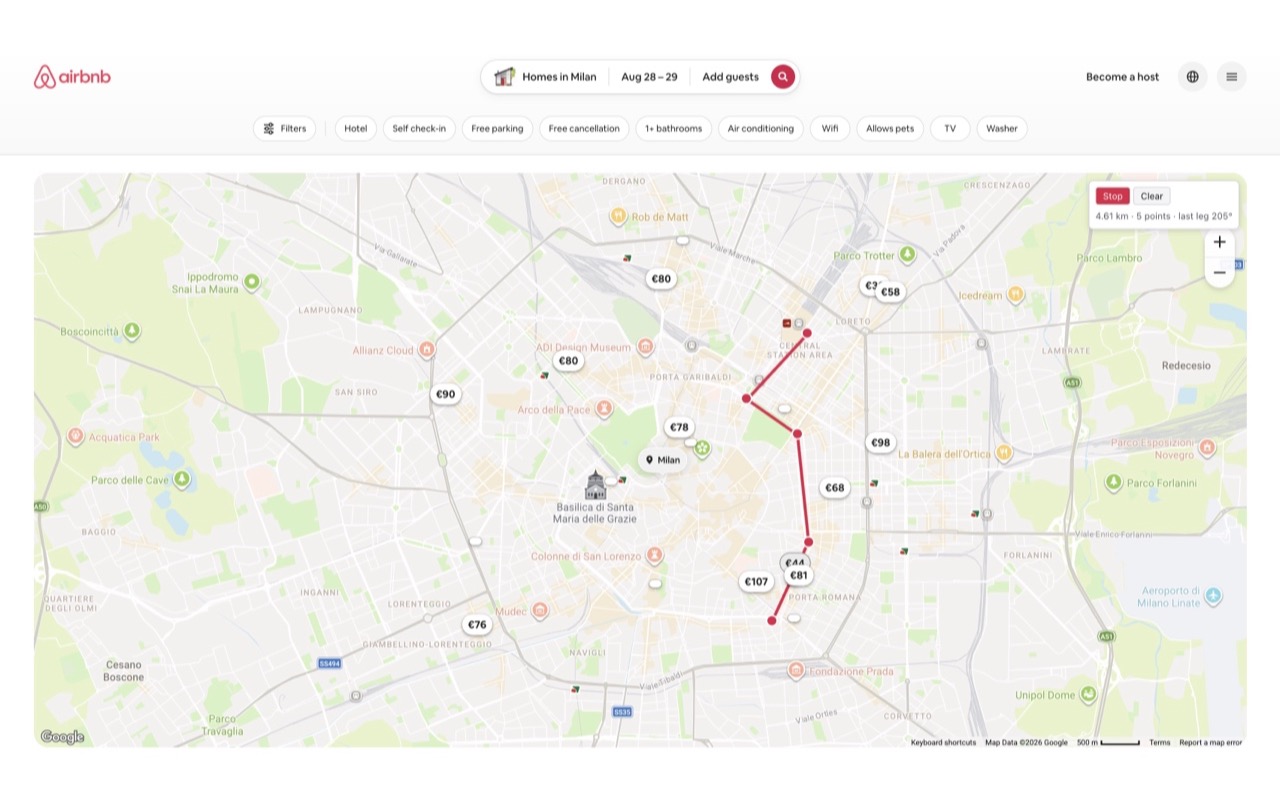
These six ship with the extension. Click a screenshot to see it full size.
Build your own
Plugins are plain JavaScript against a small, documented API — no build step. Write one by hand, or describe it to an AI assistant and have it write the code for you.
Plugin API reference
Every method a plugin can call, with runnable examples.
Creating a plugin
Step by step in the built-in editor, from blank to running.
Writing a plugin with AI
Give an assistant the API reference and a description of what you want.
Creating a registry
Publish your own list of plugins for other people to add.
Read the code before you run it
Plugins are real JavaScript running on the sites they match, so the extension treats them that way. Anything you install from a registry shows you its full source, the sites it will run on, and the settings it exposes, before it is saved — and installing never switches it on. That stays a separate, per-site choice.
Plugin code is never updated silently either. An update is only accepted from the same source the plugin came from, and you see a line-by-line diff of what changed first.